Buddy Island Play Free
Buddy Island

Free to play in your browser. No ads. No tracking.

Real-life learning on a sunny island

Kids walk their buddy around a 3D island and step through doors into games. They see how an engine works, watch savings grow, wire a circuit, and learn to read. You set the time limits.

Works in any modern browser on a phone, tablet, or computer. No sign-up, no account.

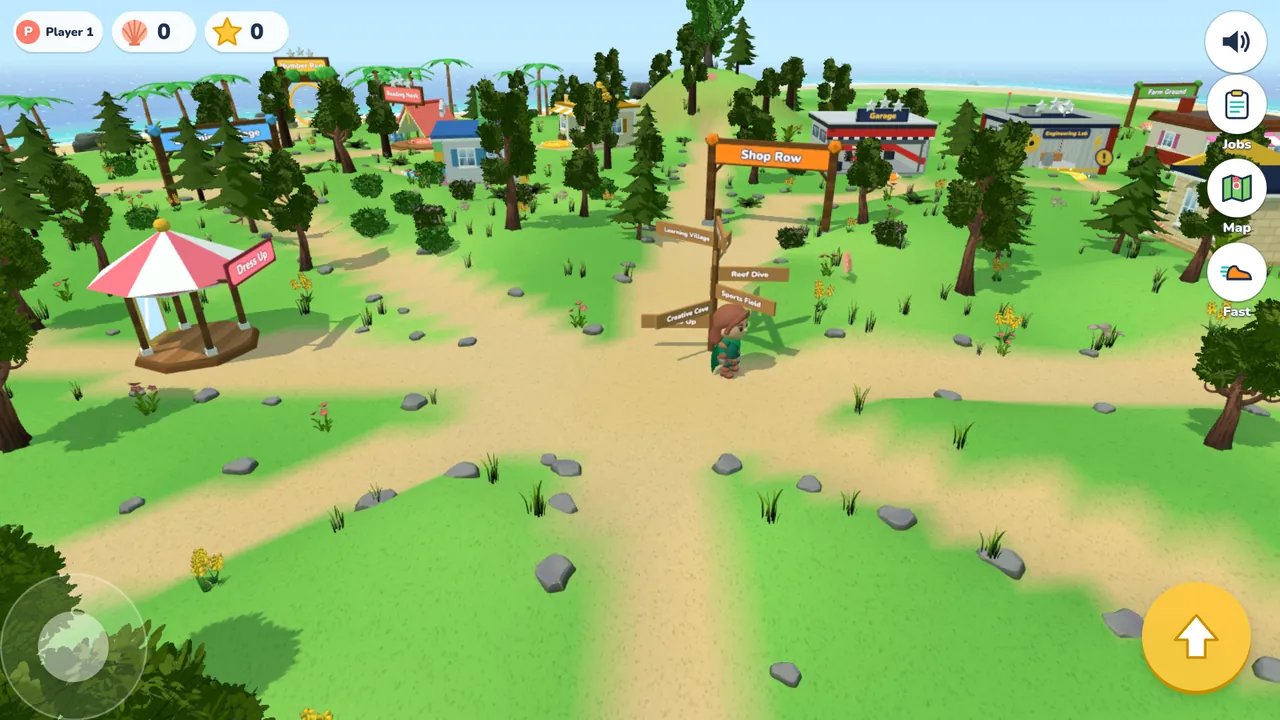
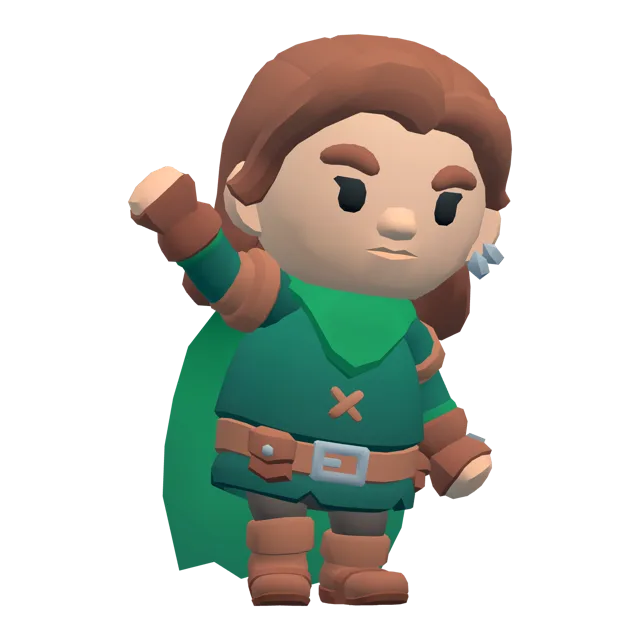
Buddy at the signposts in the middle of the island, with paths to Shop Row, Learning Village, Reef Dive, and Sports Field Buddy waving

What kids learn

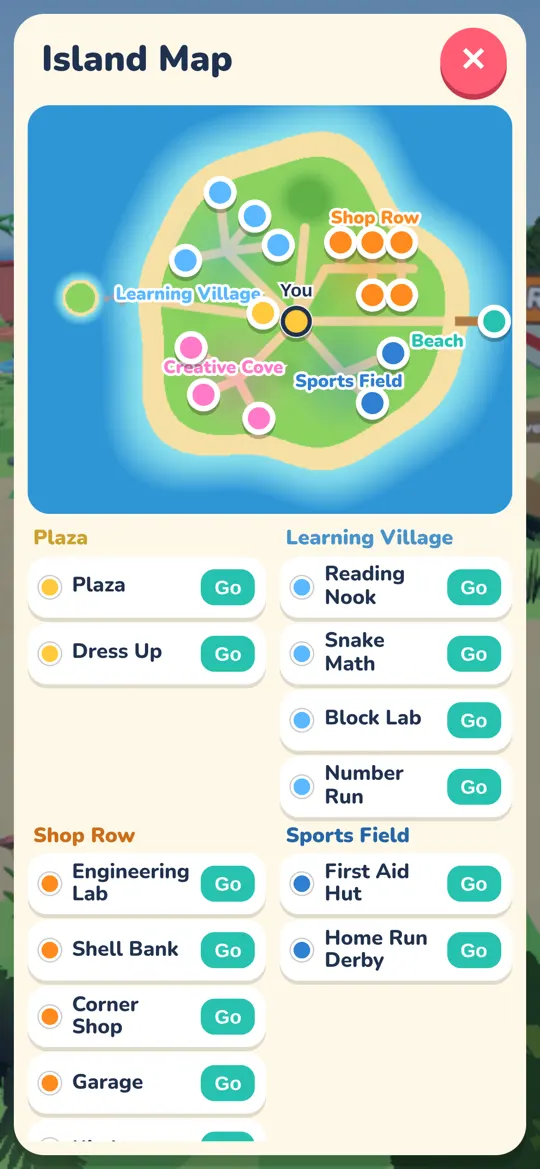
The island has 20 places with doors into games, stations, and shops. Here are a few.

See how an engine works

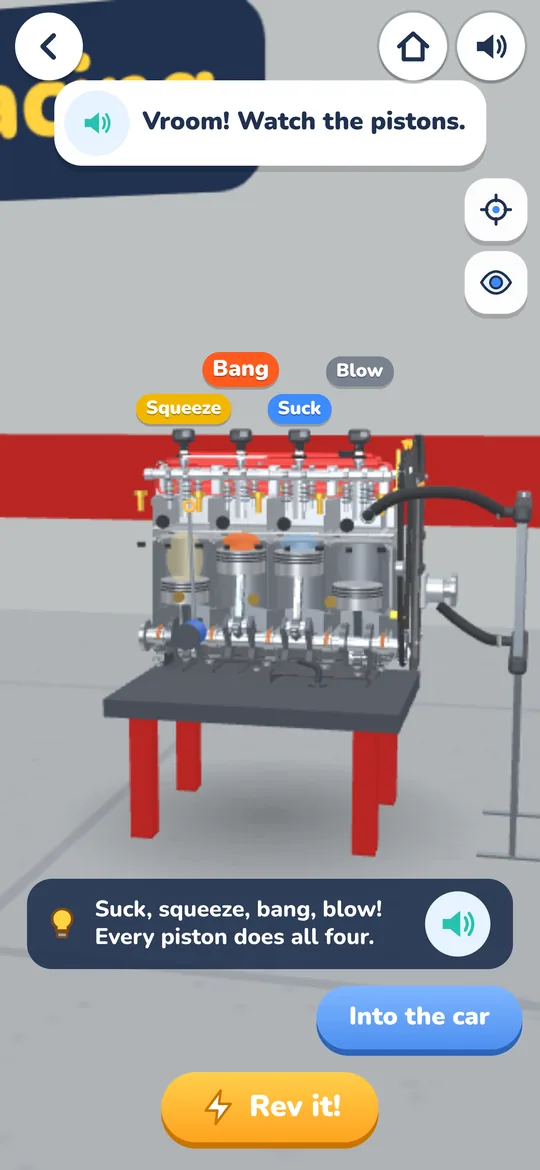
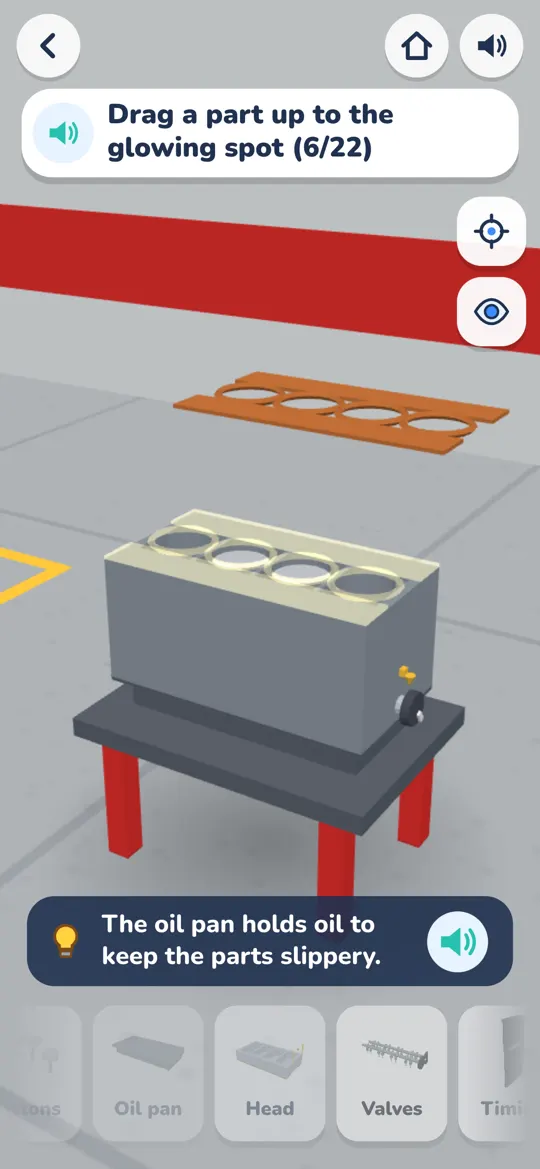
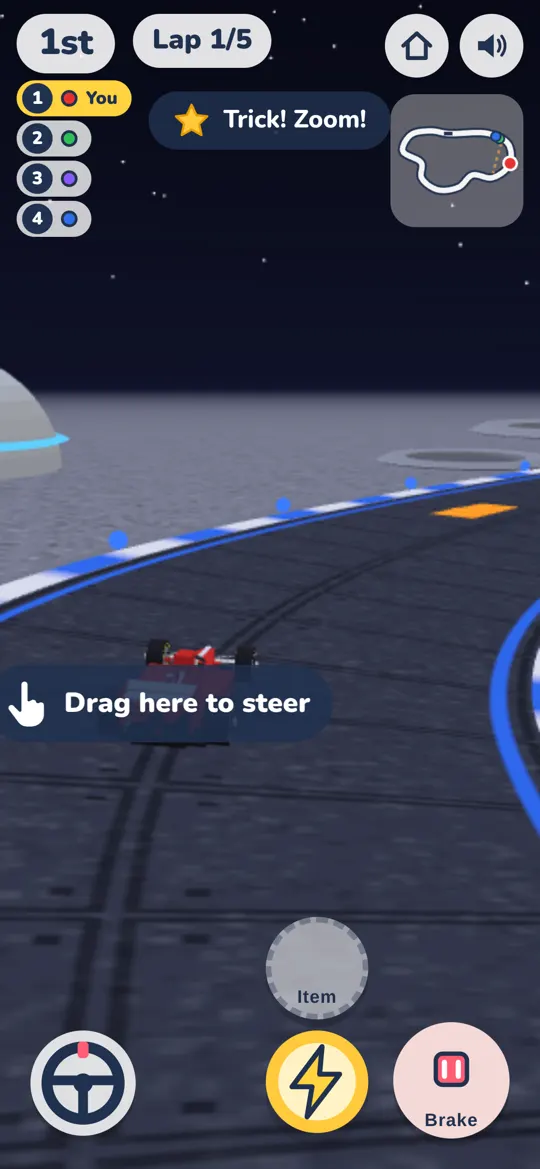
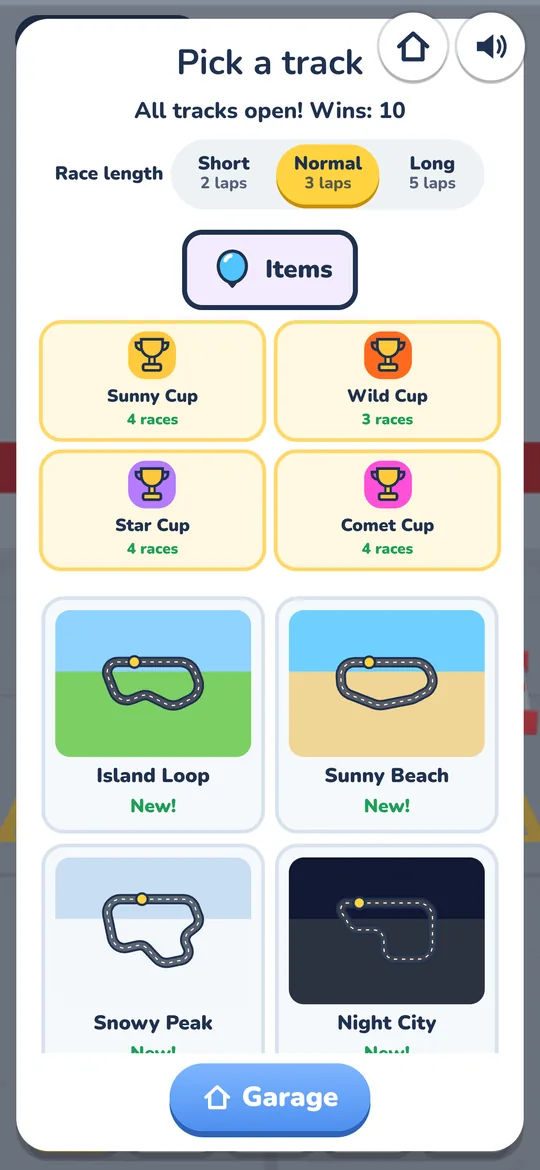
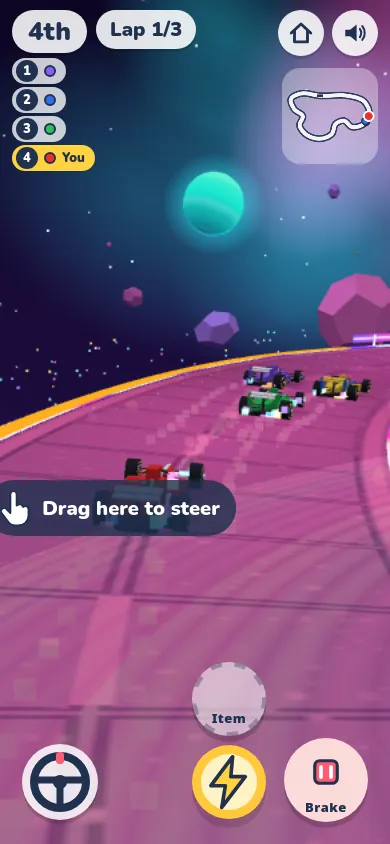
In the Pit Garage, kids fix tires and spark plugs. Then they build a 3D engine one part at a time, 22 parts in all. Turn it on and a cutaway view shows the pistons moving. After that, it is time to race karts on 12 tracks with 8 car types. New handling helps karts grip the road, and the buttons are big for small hands. Unlock Space Race, a glowing road in outer space, by winning races. New race items include water balloons and a silly bee.

  • 22-part 3D engine build
  • Rookie and Pro modes
  • Kart racing: 12 tracks, 8 car types, 4 cups
  • Big buttons sized for kids
A running engine in the Pit Garage, with the line Vroom! Watch the pistons.

Watch savings grow at the Shell Bank

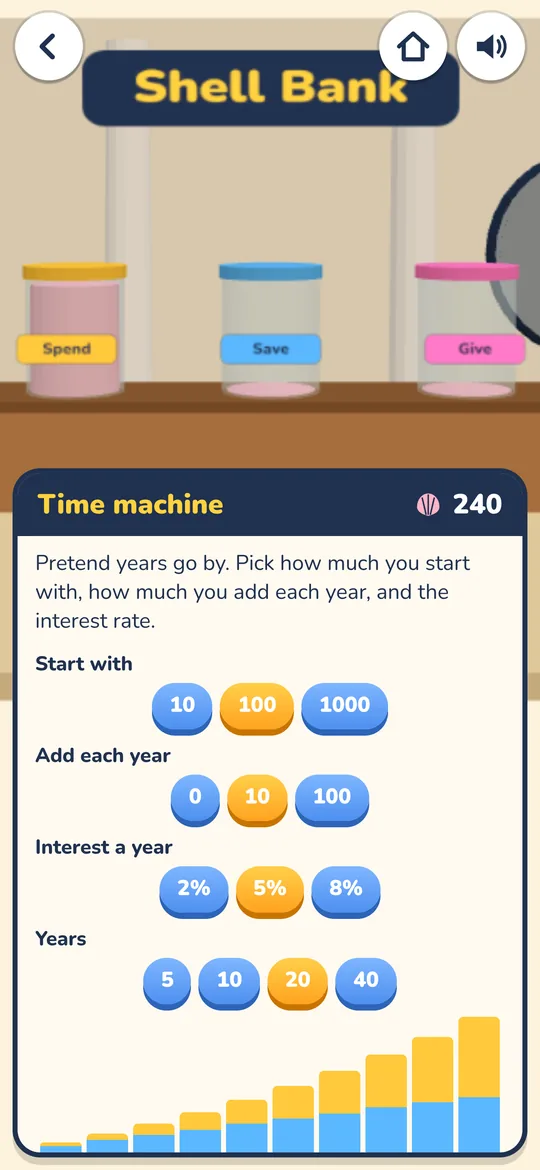
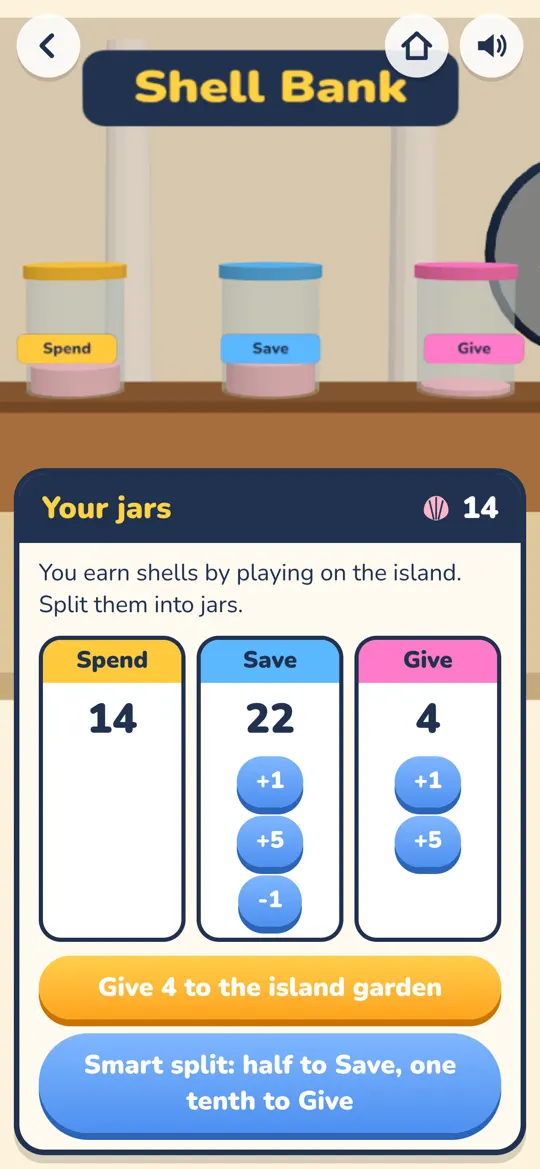
Kids earn pretend shells on the island and split them into Spend, Save, and Give jars. The Time Machine chart shows how money grows over the years, with simple interest next to compound interest. Older kids can try savings and checking, a CD lock box, and a pretend stock market with made-up companies.

  • Spend, Save, and Give jars
  • Simple vs. compound interest, and the rule of 72
  • A pretend stock market for practice

All money in the game is pretend. The Shell Bank teaches money ideas. It is not financial or investment advice.

The Shell Bank Time Machine chart showing savings growing over the years

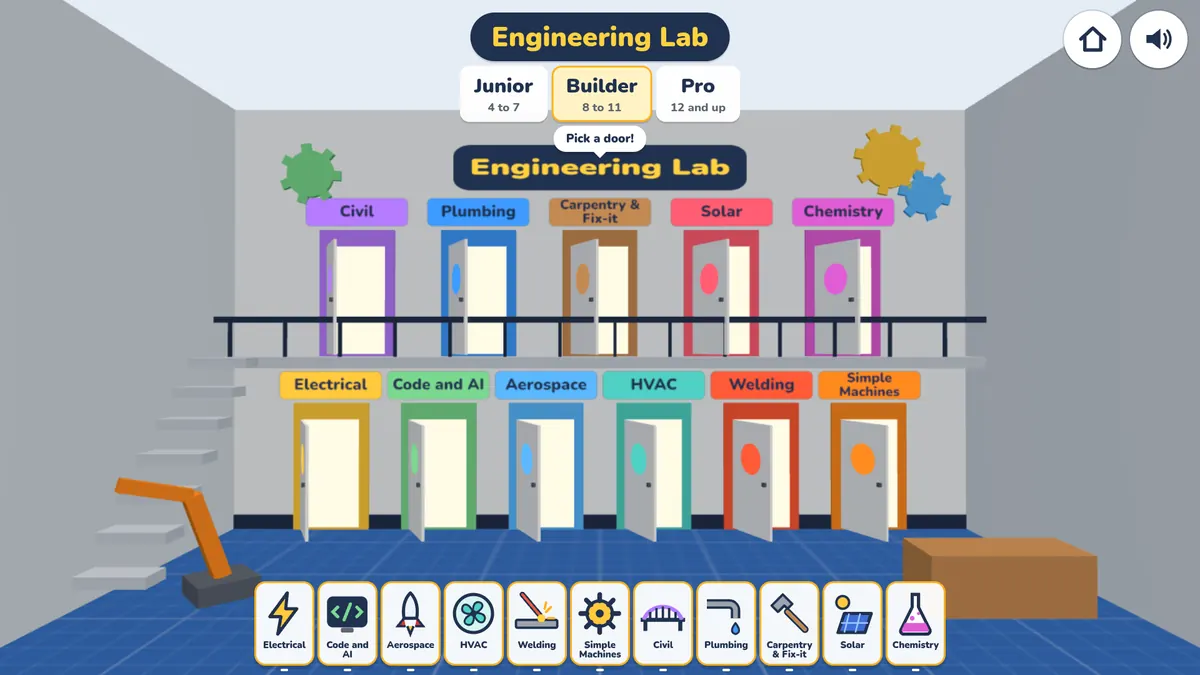
An Engineering Lab with 11 stations

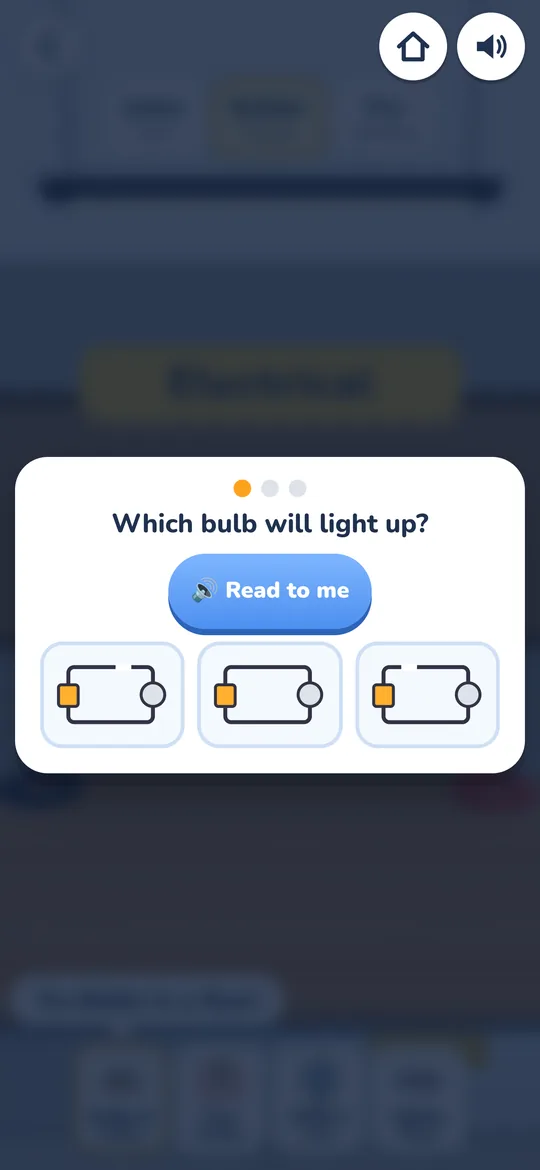
Electrical, aerospace, plumbing, solar, welding, chemistry, and more. Kids wire a circuit to light a bulb and work through hands-on jobs to earn badges. In the Code and AI Lab, kids build and train a tiny language model right in the browser, step by step, and learn to code with blocks, then text. After a lesson, a short quiz checks what stuck, with Read to me on every question. The lab and the garage engine also got new art.

  • Junior (4 to 7), Builder (8 to 11), Pro (12+)
  • 4 jobs per mode, plus badges
  • Code and AI Lab, with no outside AI service
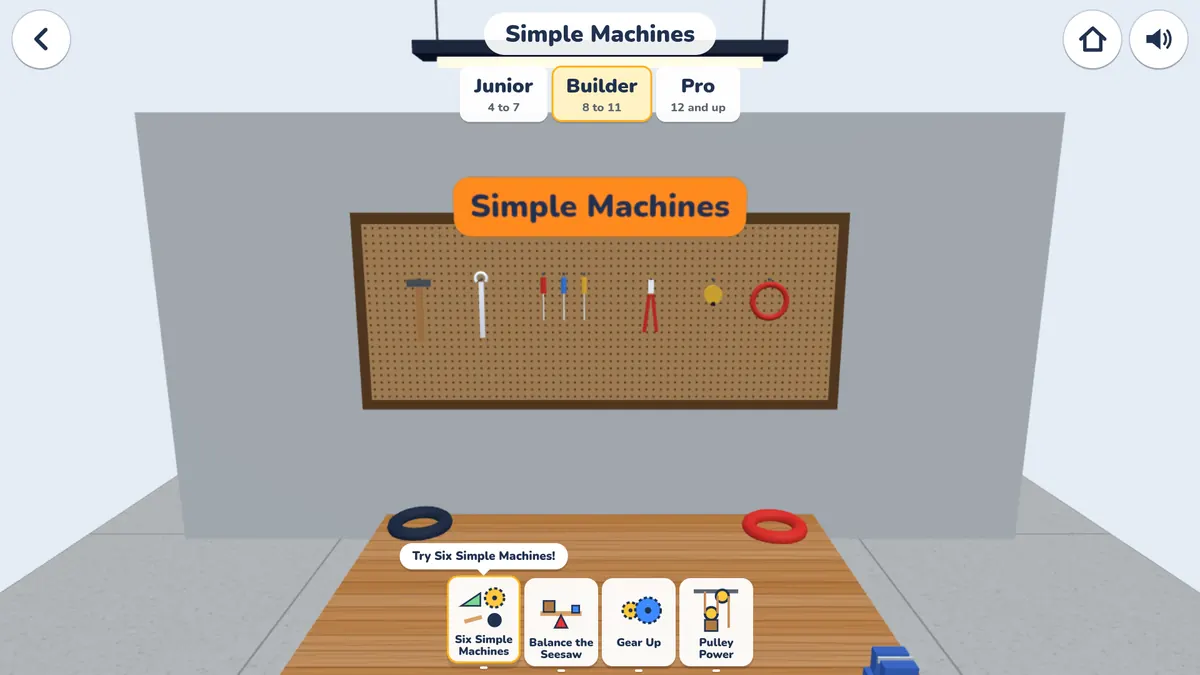
The Engineering Lab hall with Junior, Builder, and Pro tabs and colored doors to 11 stationsThe Simple Machines bench in the Engineering Lab, with tools on a pegboard

Build real projects in the Woodshop

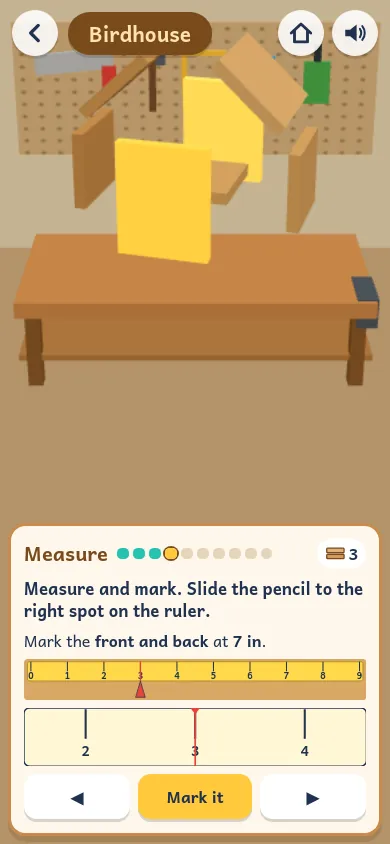
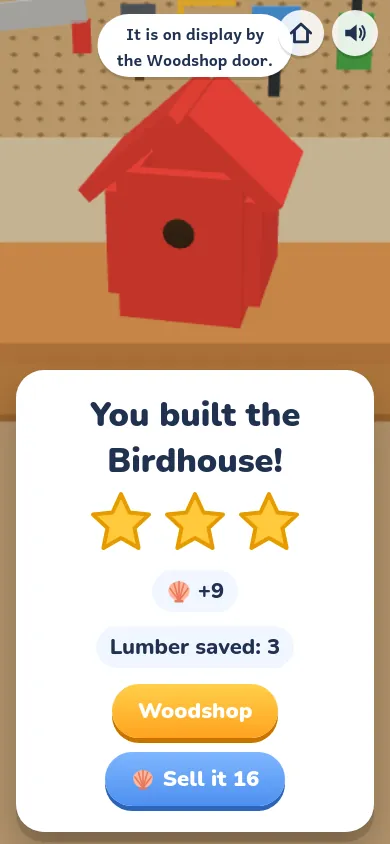
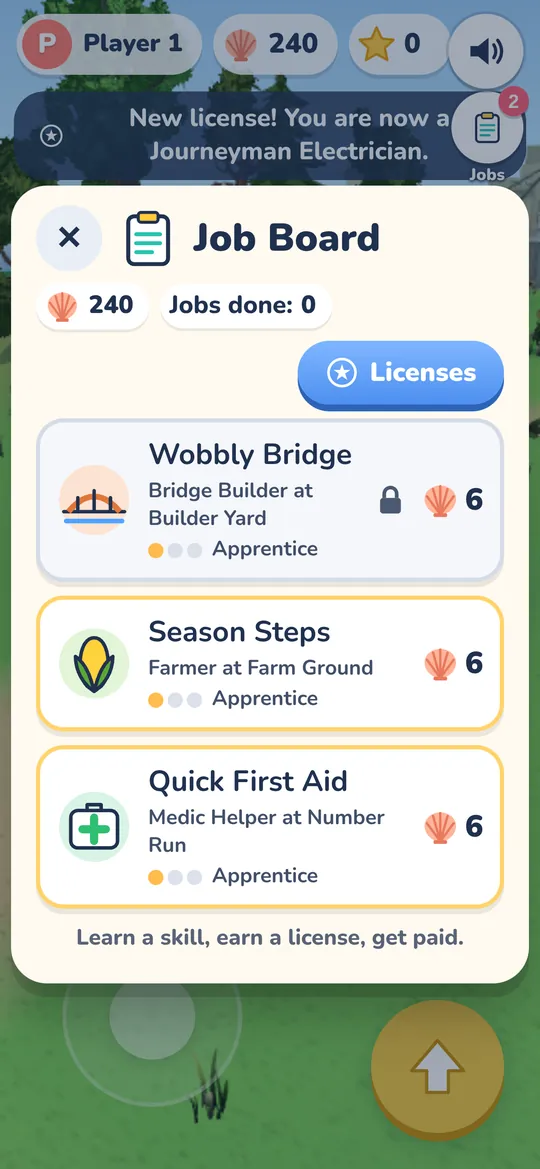
In Trades Town, kids build 20 projects, like a birdhouse, a picture frame, and a toy car. Safety comes first, with goggles and a clamp. Then they plan, measure, cut, drill, sand, and paint, one step at a time. They can sell what they make at the Craft Fair for pretend shells. Next door at the Jobs Office, kids earn licenses for 14 trades and take island jobs.

  • 20 projects, from Apprentice to Master
  • Measure to the inch, half, quarter, and eighth
  • Island Jobs: 14 trade licenses to earn

The woodworking happens on the screen. Real tools always need a grown-up.

Measuring a board for the Birdhouse in the Woodshop

Grow a whole crop year on Farm Ground

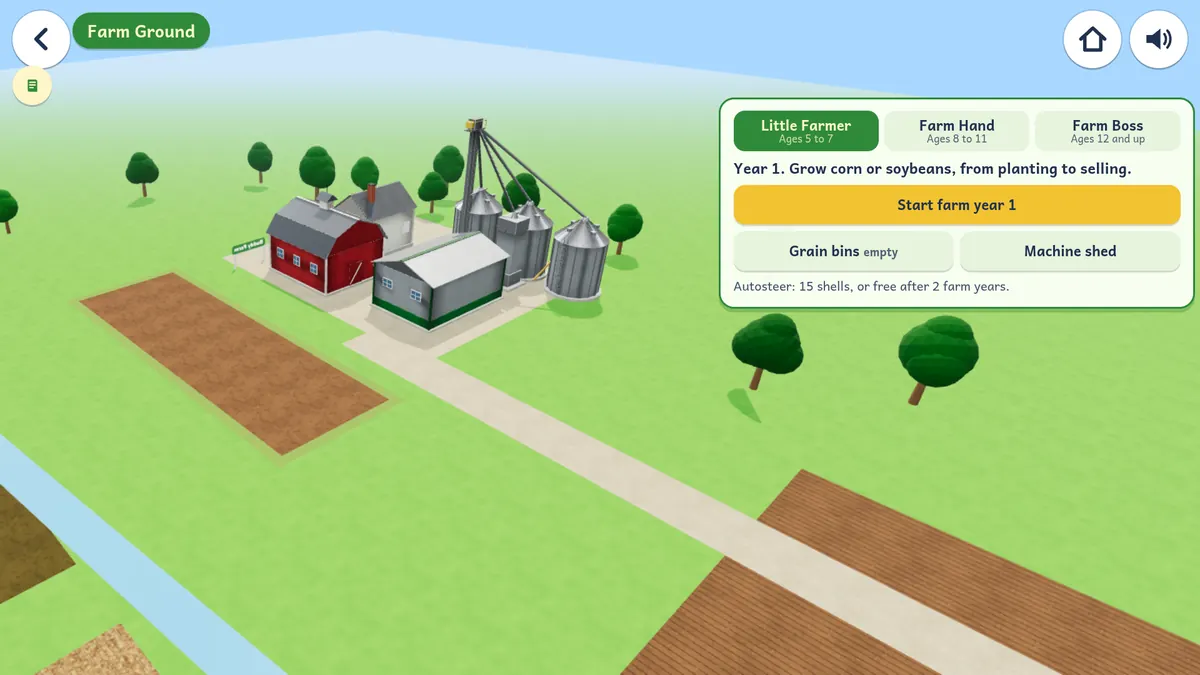
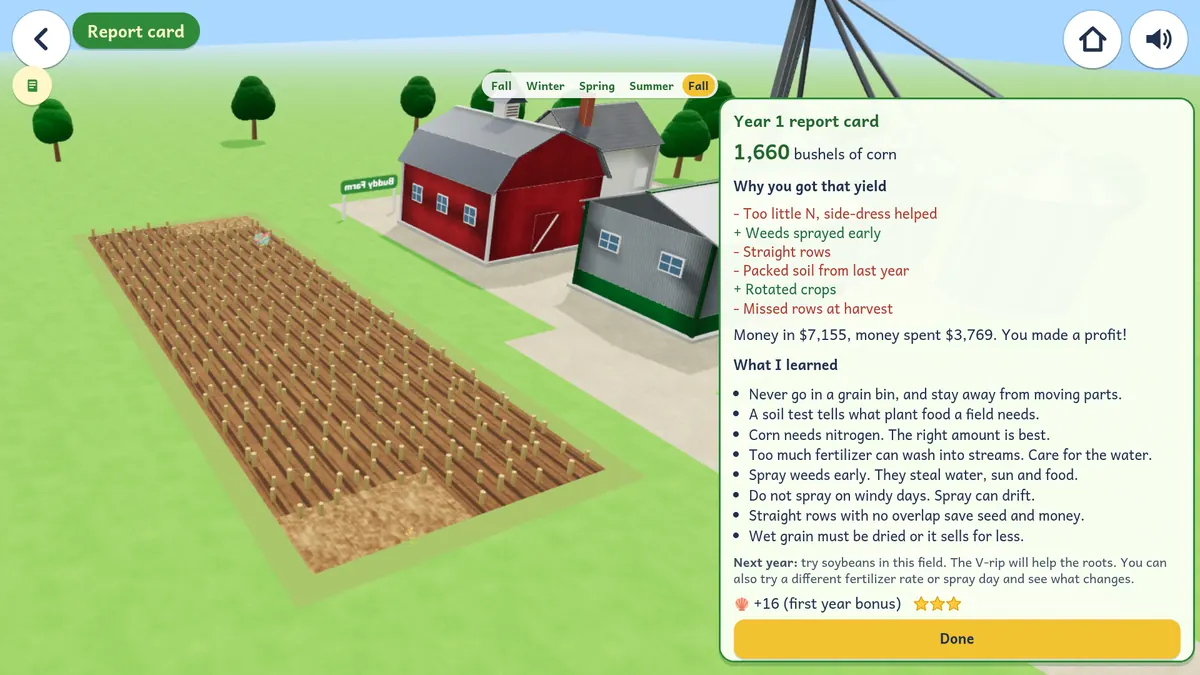
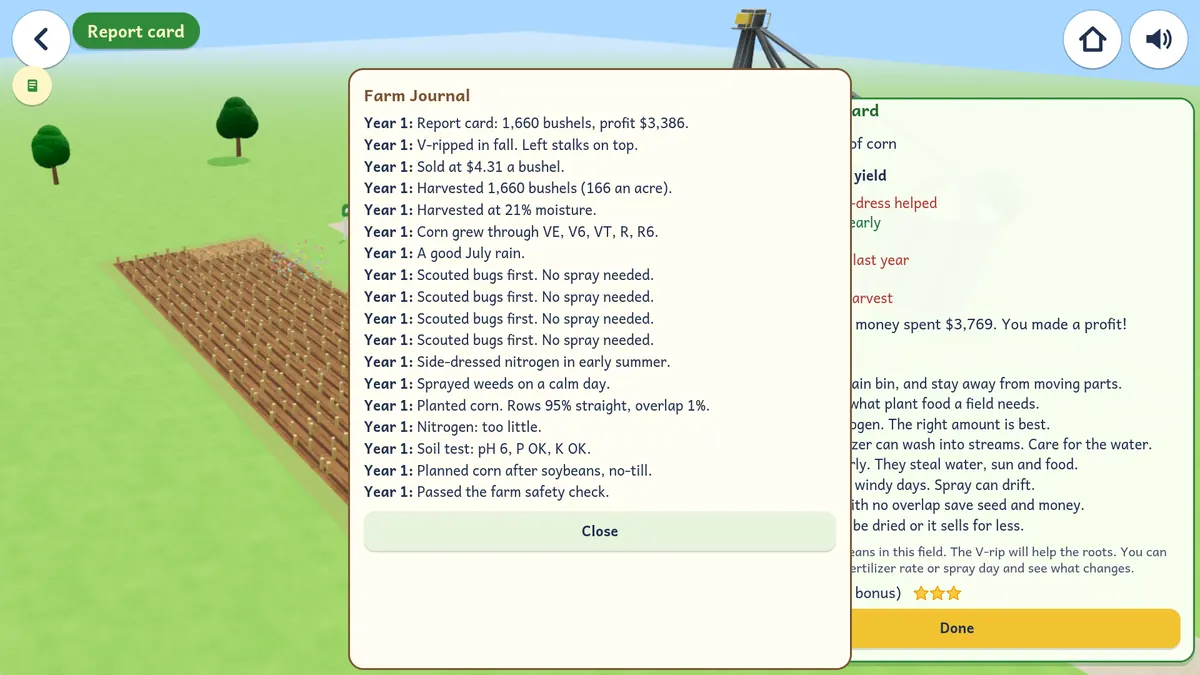
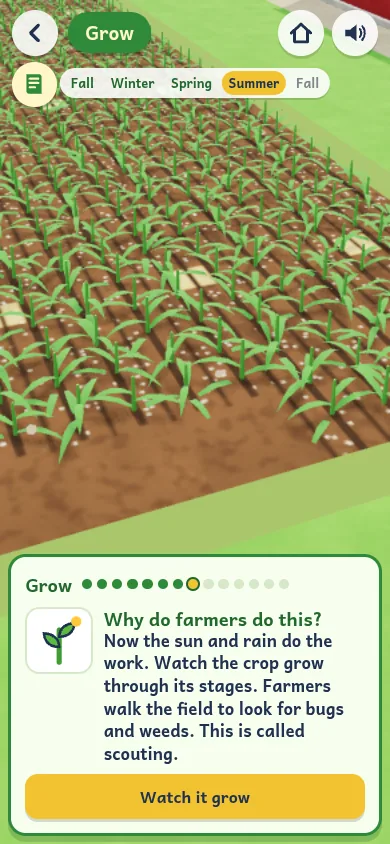
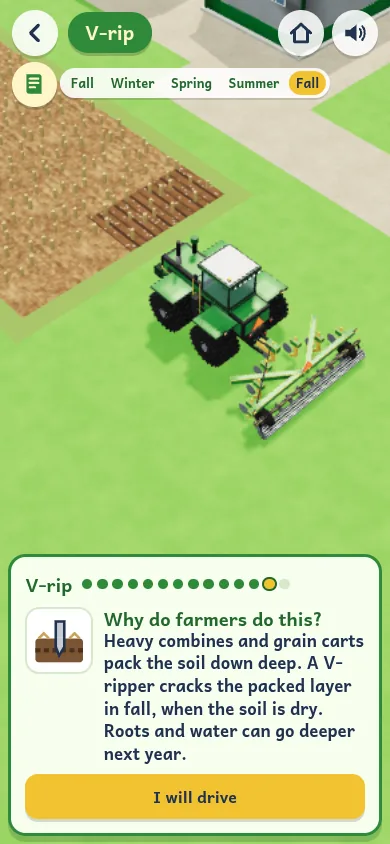
Farm Ground is a farm on the island. Kids grow corn or soybeans for one full year. It starts with a safety check. Then they plan, test the soil, plant, spray weeds, watch the crop grow, harvest, haul the grain, and sell it. In the fall they V-rip the field to break up packed soil. Each step has a short card that says why farmers do it. The Farm Journal keeps notes, a report card wraps up the year, and kids can earn a Farmer license.

  • Little Farmer (5 to 7), Farm Hand (8 to 11), Farm Boss (12+)
  • Safety, soil test, planting, harvest, and V-ripping
  • Farm Journal, a year-end report, and a Farmer license

Farm money in the game is pretend.

Farm Ground with a barn, grain bins, and a field, and buttons to pick Little Farmer, Farm Hand, or Farm BossThe year 1 report card with bushels of corn, why the yield came out that way, and what the kid learnedThe Farm Journal with a note for each step of the farm year

A new look around the island

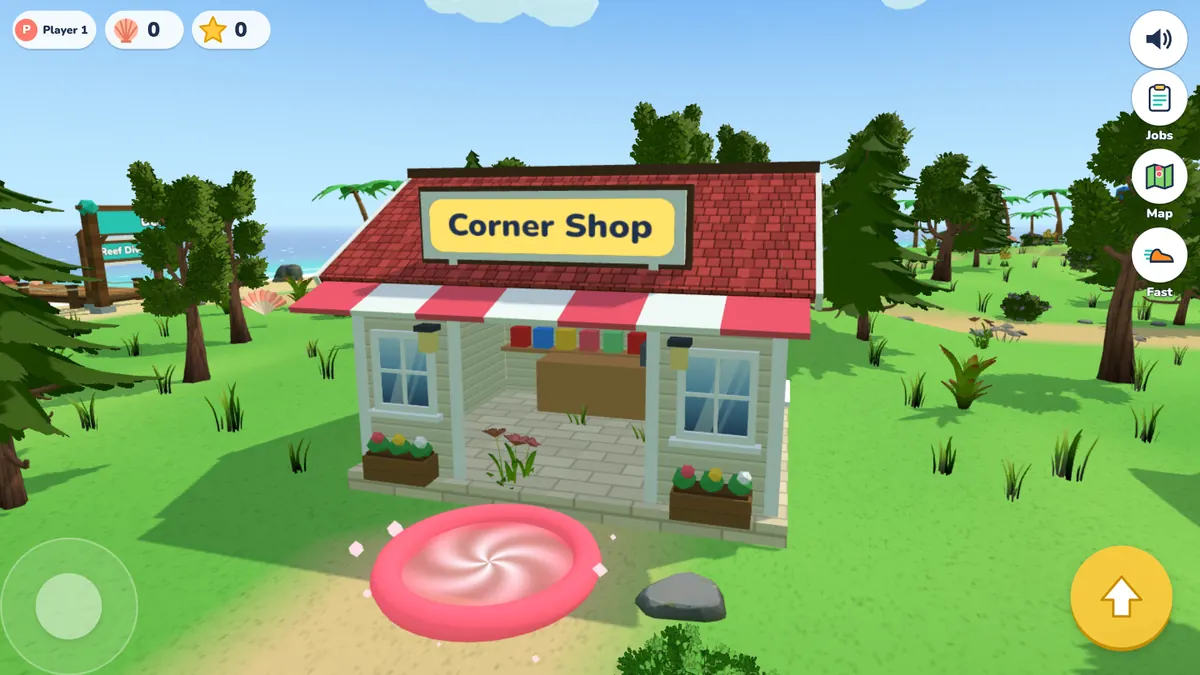
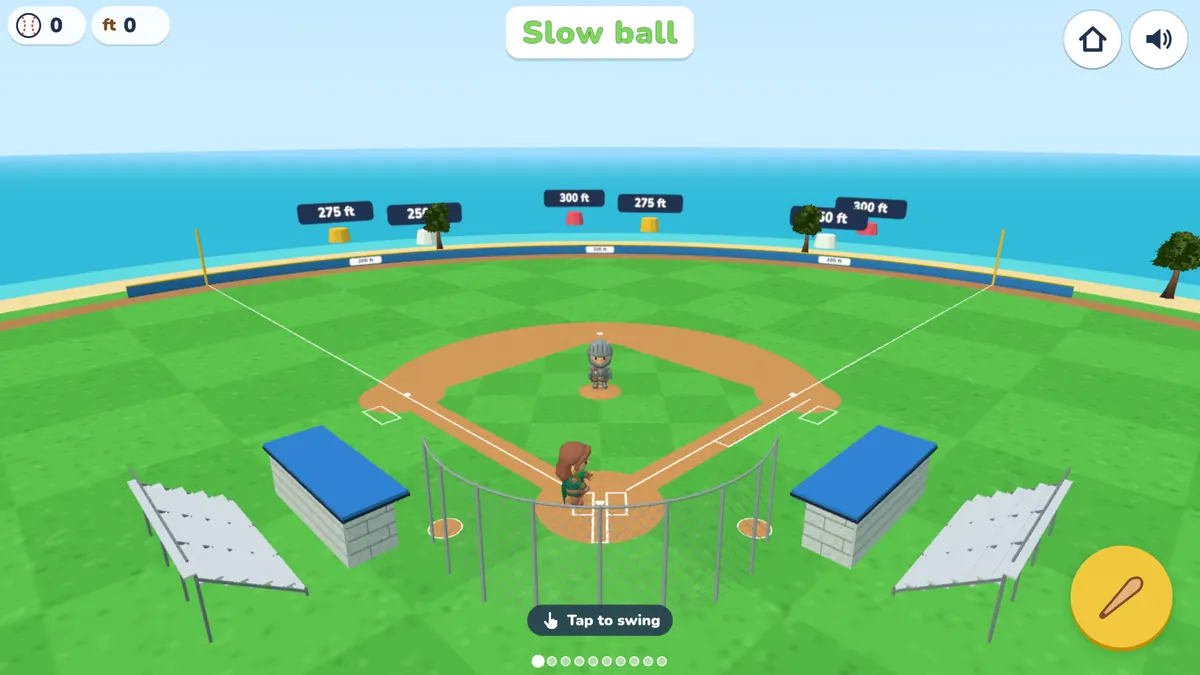
The island buildings got a new look, with siding, shingle and metal roofs, trim, windows, doors, signs, and planters. The ball fields in Home Run Derby and on the island are now sized like the fields kids play on in youth baseball, with 60 foot bases, a clay infield, a backstop, dugouts, and bleachers.

  • New look for the island buildings
  • Ball fields sized for kids
The Corner Shop with a red roof, an awning, windows, and plantersThe Home Run Derby ball field with a clay infield, a backstop, dugouts, and bleachers

Reading that starts at your kid's level

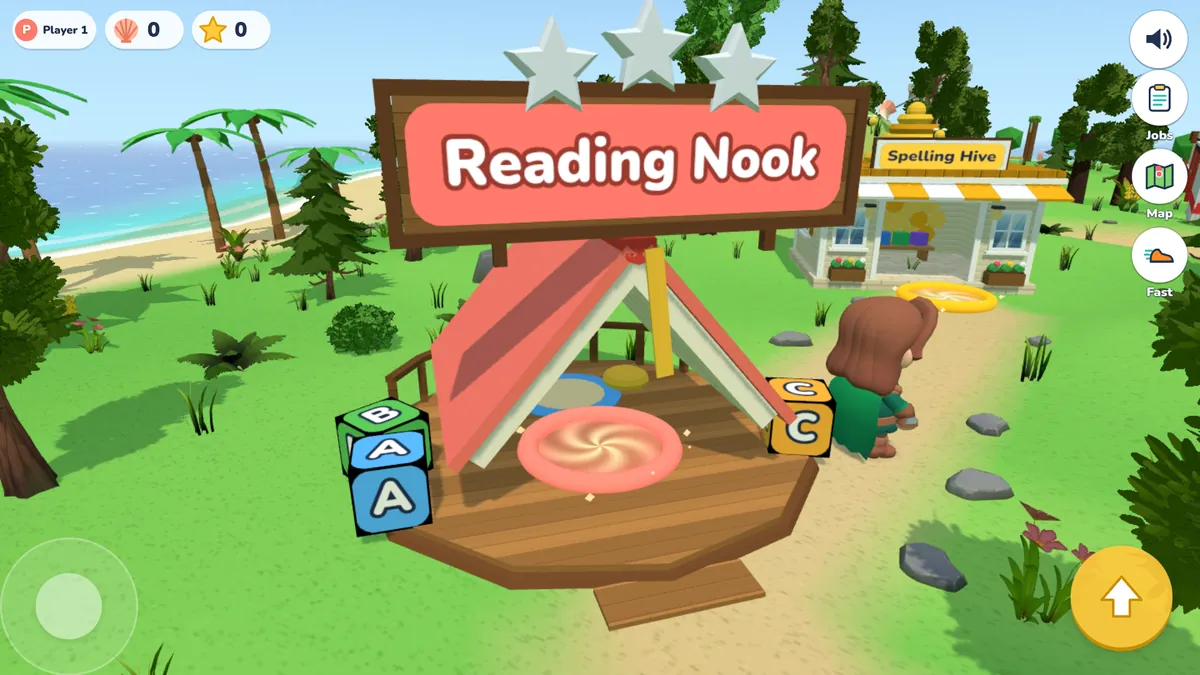
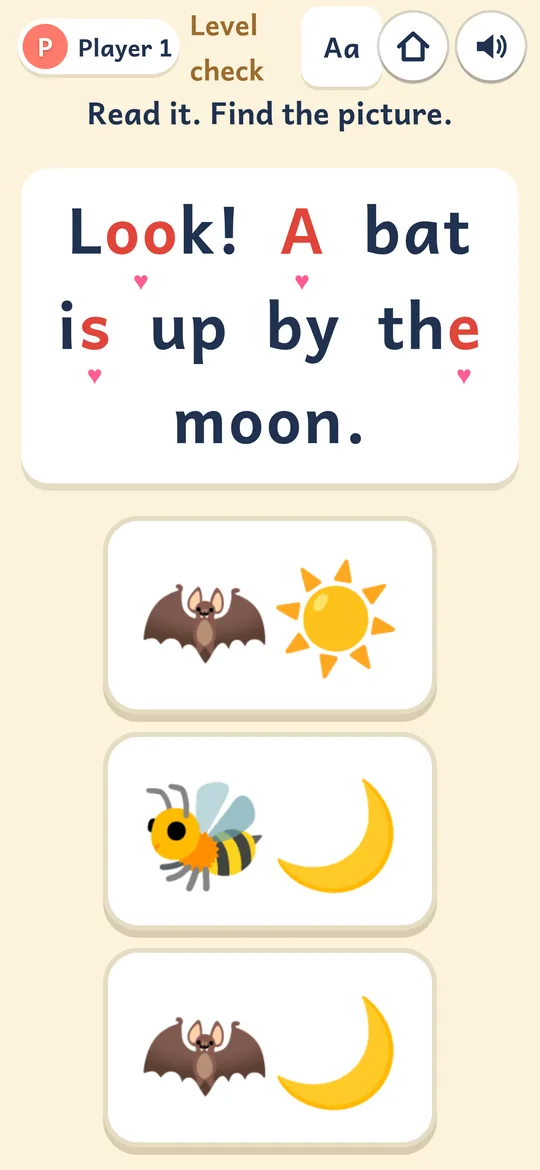
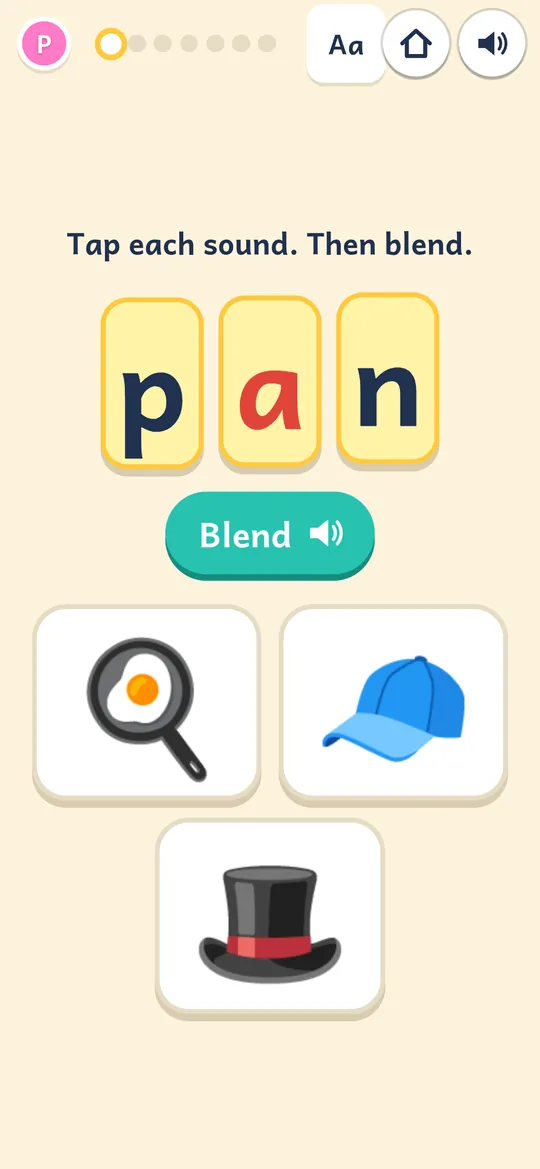
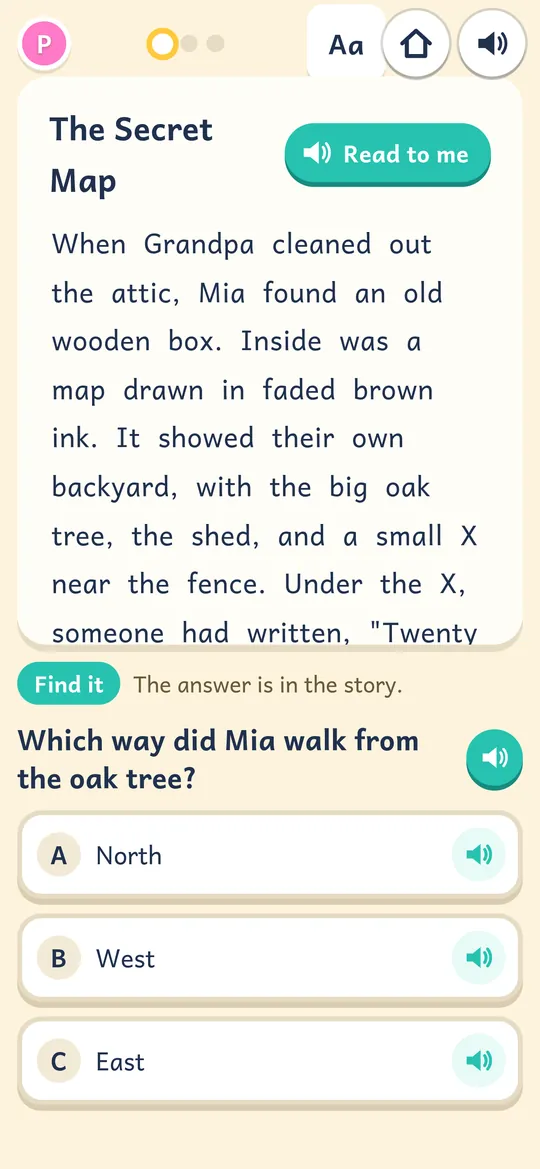
The Reading Nook starts with a quick level check. It even says "It is OK to guess." Then lessons go from letter sounds and blending up to longer stories with questions. Two good scores open the next level. Tap Read to me and a friendly voice reads along.

  • 14 levels, from sounds to stories
  • A level check to start
  • Andika, a font made for early readers
Buddy outside the Reading Nook, with letter blocks by the door and the Spelling Hive behind it

Practice this week's spelling words

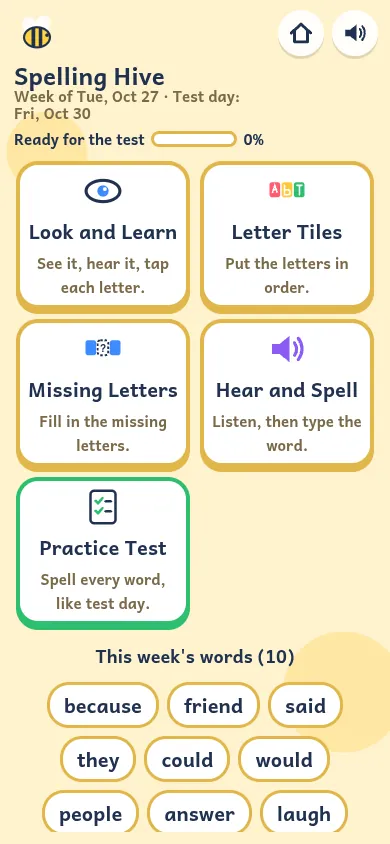
In the Spelling Hive, you type in your kid's spelling list from school, up to 25 words. No list? Pick a built-in list for kindergarten to 5th grade. Buddy says each word out loud, and uses many of them in a sentence. There are 5 ways to practice. The last one is a Practice Test, just like test day. Missed words come back more often.
  • Your school list, or a built-in K to 5 list
  • 5 ways to practice, from Letter Tiles to a Practice Test
  • A "Ready for the test" meter and results in the report
The Spelling Hive with 5 practice modes and this week's words

Math you can steer, run, and build

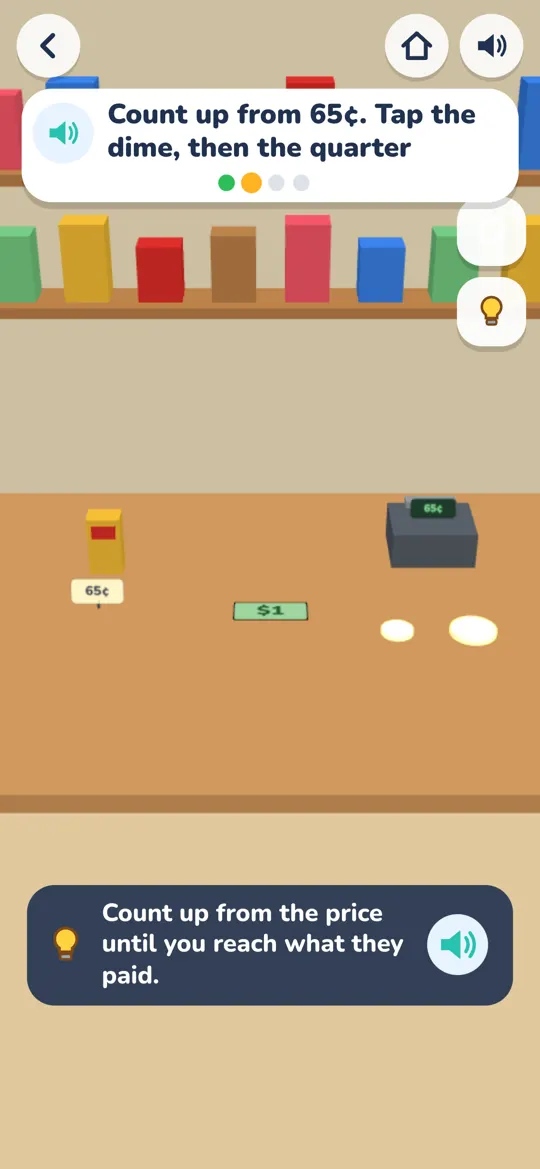
Steer a snake to the right answer in Snake Math. Jump to it in Number Run. Use number blocks in Block Lab to make 10, carry and borrow, share, and try fractions. At the Corner Shop, kids count coins and make change.

  • Adding up to times and divide
  • Block Lab with 10 activities
  • Real-life skill spots: shop, garden, first aid
The Making Change game: count up from 65 cents

Art, cooking, and building

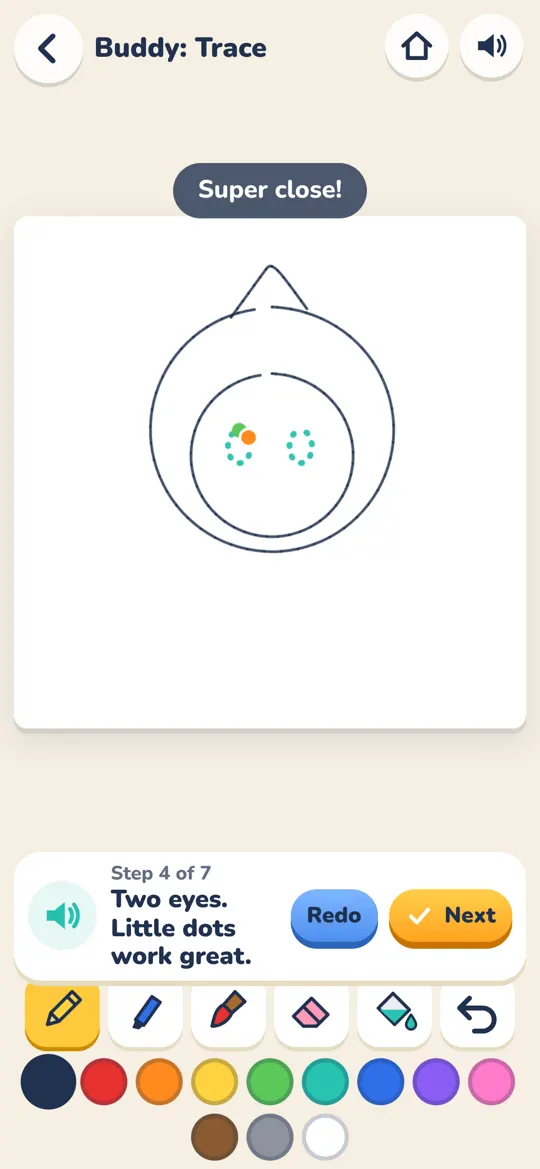
Paint by number, follow drawing lessons, and build with our own island blocks in a block world. In the Kitchen, kids measure with cups and spoons, crack eggs, and set the oven to bake cookies, muffins, and bread. Big Chefs can double or halve a recipe.

  • Drawing Class with 8 lessons
  • Kitchen fractions
  • A block world for each kid
A Color by Number picture in the Art Studio

Hands-on skills

For kids who like to build and fix things

Measure and cut in the Woodshop. Build an engine in the Pit Garage. Work 11 stations in the Engineering Lab. Then earn island licenses in 14 trades and take jobs on the Job Board.

Why hands-on skills matter
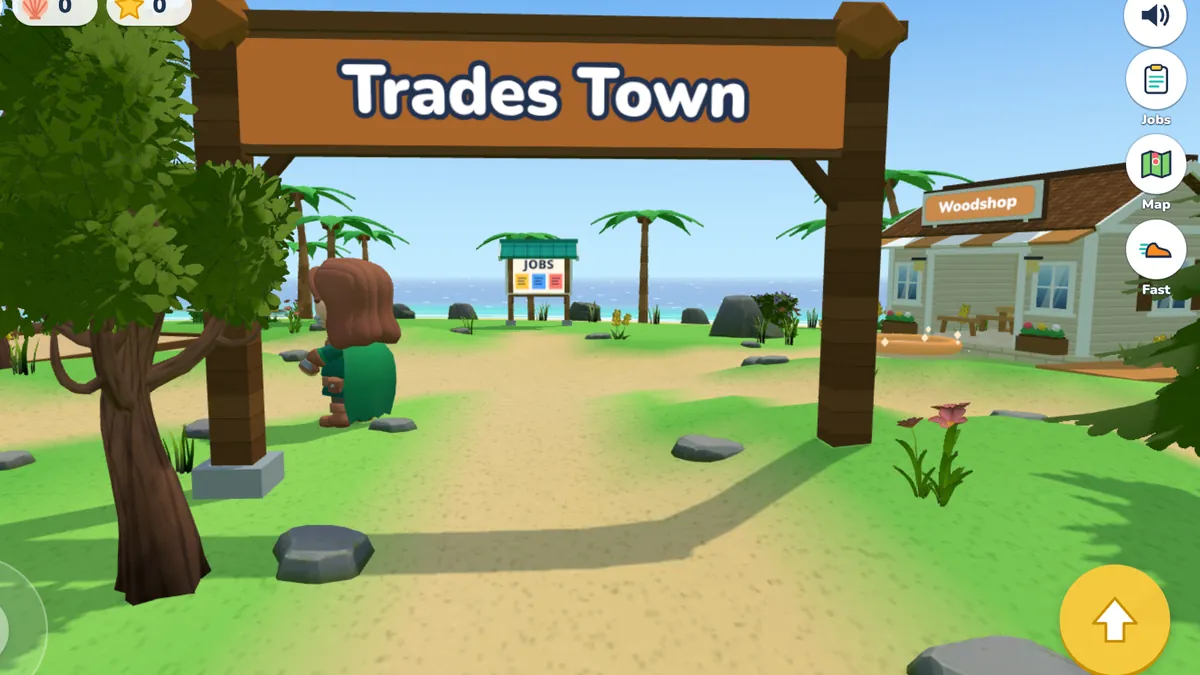
Buddy walking under the Trades Town sign, with the Woodshop and the Job Board behind it

For parents

Right-sized for each kid

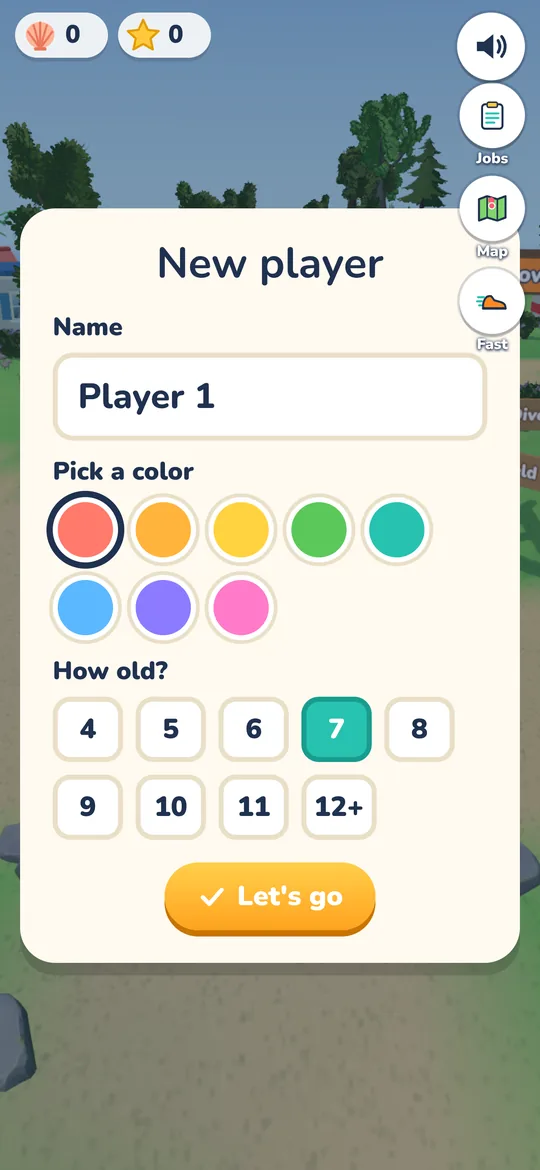
Each kid gets their own profile and picks their age, from 4 to 12+. That age sets where many games start. The Reading Nook places kids with a level check. Snake Math, Block Lab, Number Run, and Reef Dive move up or down as your kid plays. Stations have Junior, Builder, and Pro modes, and races have Easy, Normal, and Hard.

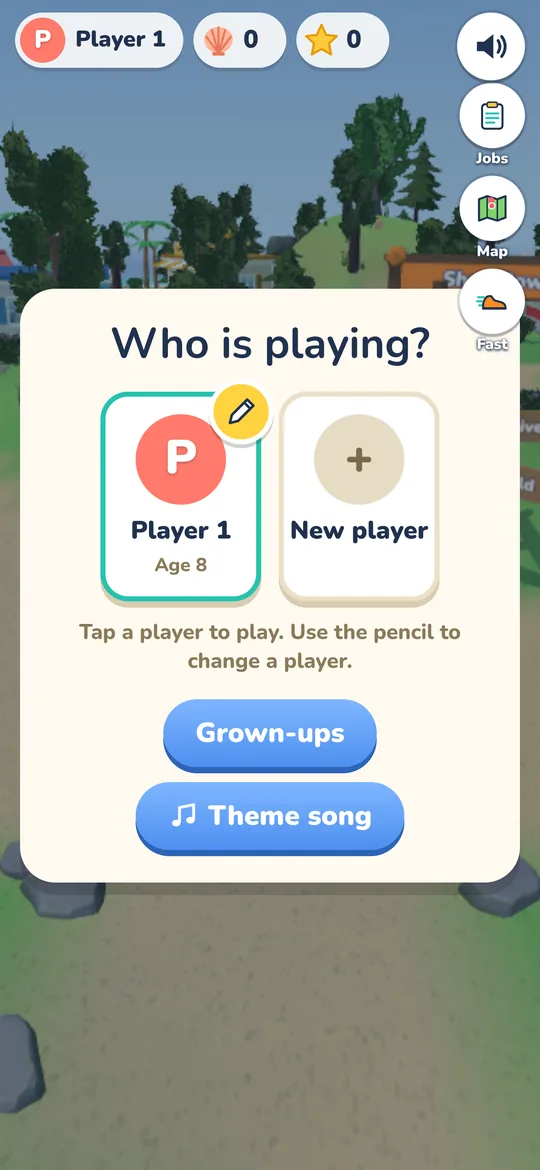
Make a new player: type a name, pick a color, and pick an age from 4 to 12+

Easy time limits you set

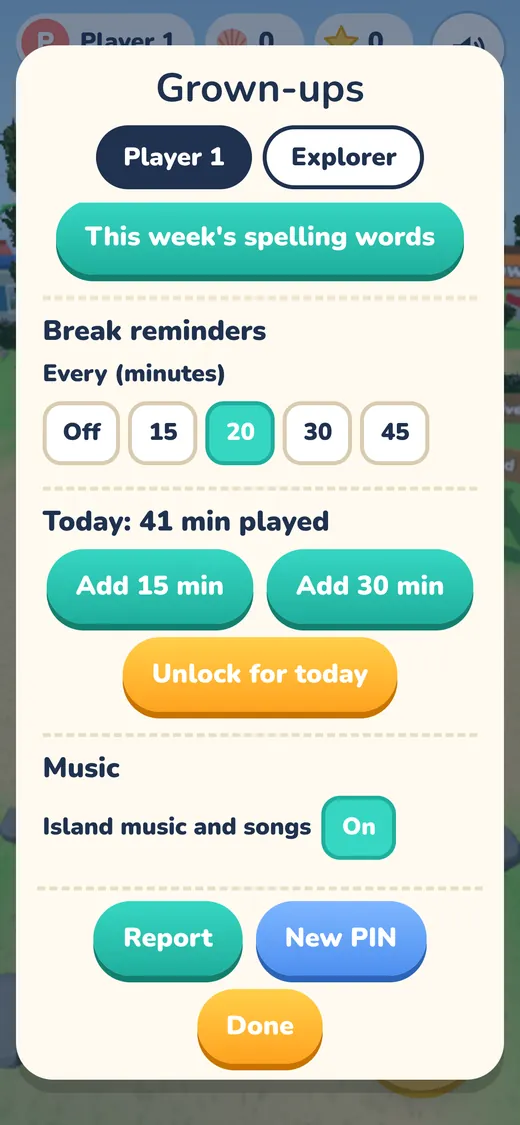
The Grown-ups area is locked with a grown-up PIN. If you forget it, a reset question helps you make a new one. Set a daily play time limit. When time is up, you can add 15 or 30 more minutes. Turn each game or place on or off, set bedtime hours with no play, and turn on break reminders.

  • A grown-up PIN, with a reset question if you forget it
  • A daily play time limit, with Add 15 or 30 minutes
  • Turn each game or place on or off
  • Bedtime hours with no play
  • Break reminders
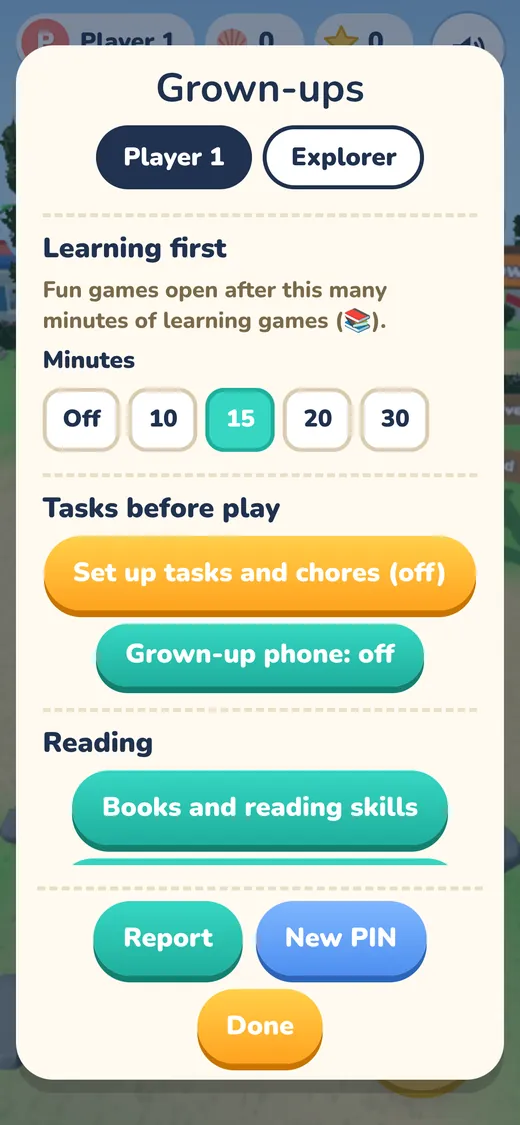
  • Learning first: fun games stay locked until a set number of learning minutes are done
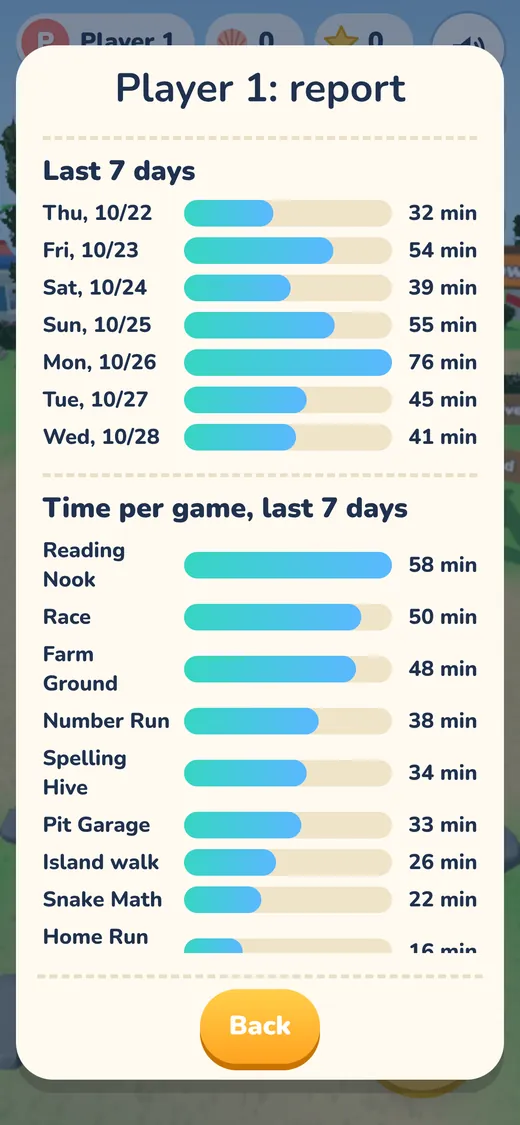
  • A play report for the last 7 days
The Grown-ups screen with break reminders, Add 15 min and Add 30 min buttons, and music on or offThe Grown-ups screen with Learning first set to 15 minutes, and Tasks before playThe play report with minutes for each of the last 7 days and time per game

Tasks before play

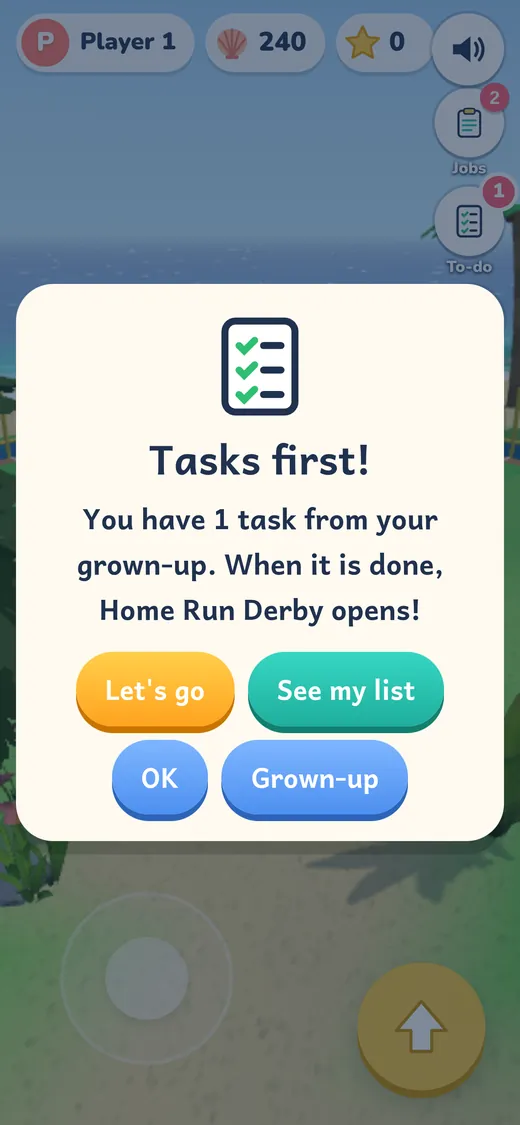
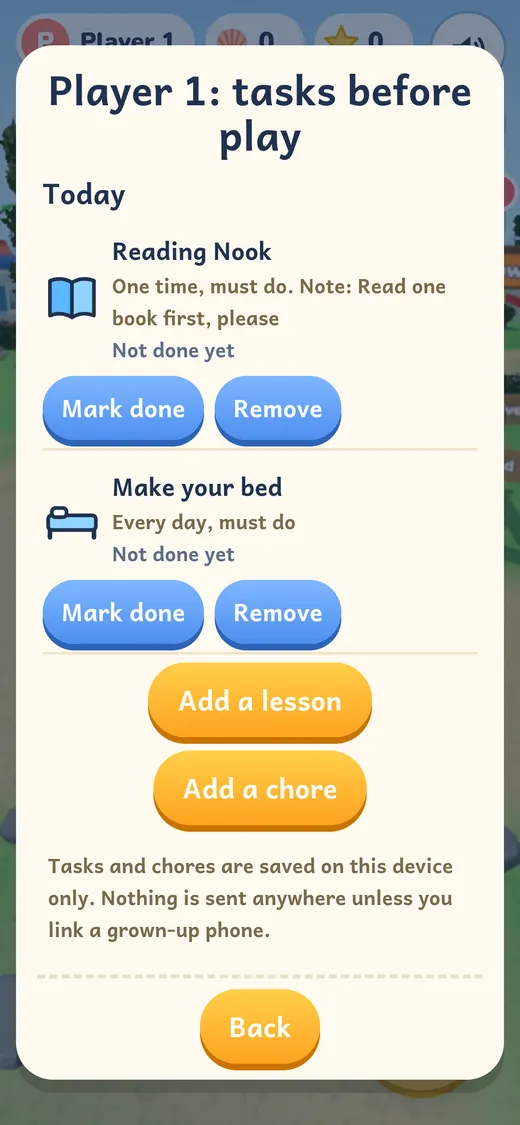
Want reading or chores done before fun games? Turn on Tasks before play for each kid in the Grown-ups area. Pick lessons, like reading, spelling, or the Woodshop. Add chores, like make your bed or feed the dog, for one day, every day, or certain days. Fun games wait until the list is done. Your kid checks off a chore, and you approve it. Then Buddy cheers: "Fun games unlocked!" Want to use your phone too? Link it in the Grown-ups area. Then you can send tasks and OK chores from your own phone. It is a plain web page, with no app to install and no account.

  • Optional, and off until you turn it on, behind your PIN
  • Lessons and real-life chores, or your own
  • Fun games wait, or lock the whole island except tasks
  • Optional fun time after tasks
  • Today's list reads aloud for early readers
  • Chore history in the report
  • Send tasks and OK chores from your own phone

The grown-up phone is optional and off until you link a phone. Kids show as Kid 1 and Kid 2. No names, ages, or play data are sent. Unlink deletes everything. Read how Grown-up phone handles privacy.

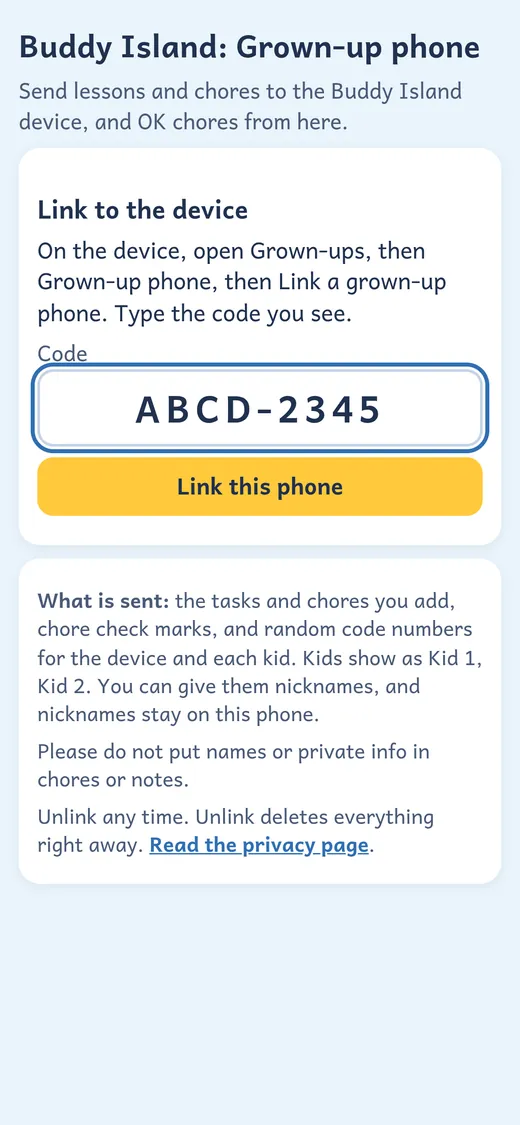
Tasks first! The kid has 1 task from a grown-up, and when it is done, Home Run Derby opensThe grown-up's list of today's tasks: a Reading Nook lesson and making the bed, with Mark done buttonsThe family page on a grown-up phone, with a box to type the sample code shown on the kid device

Made for kids. Honest with parents.

  • No ads, everThere are no ads in Buddy Island.
  • No trackingNo analytics and no tracking.
  • No accounts or chatNo sign-in, no chat, and no web browsing for kids.
  • Progress stays on the deviceProgress and settings live on the device your kid plays on.
  • Early readers can play aloneA friendly voice talks kids through each game.
  • Effort gets cheeredBuddy cheers for trying, not only for right answers.

Read the privacy policy and terms.

Price

On the web

Free

Buddy Island is free to play in your browser right now. The whole island is open.

Play Free

iPhone and iPad app Coming, not out yet

The app will be free to download. For free, kids can play the island, profiles, Dress Up, Reading Nook, Snake Math, Reef Dive, and the Pit Garage with its first race cup. Full Island opens everything else.

  • $49.99 a year with a 7-day free trial
  • $4.99 a month
  • Lifetime price coming soon

Planned app prices. They are not live yet and may change before launch. One purchase covers every kid on the device. Buying is behind a grown-up check, and kids only see "Ask a grown-up".

Questions

Is Buddy Island free?

Yes. The web game is free to play right now in any modern browser. The coming iPhone and iPad app will be free to download, with an optional Full Island purchase.

What ages is it for?

Kids 4 to 12+. Each kid picks their age, and that sets where many games start. Some games also move up or down as your kid plays, and stations have Junior, Builder, and Pro modes.

Can I set time limits?

Yes. In the Grown-ups area, behind a grown-up PIN, you can set a daily play time limit and add 15 or 30 minutes when you want. You can turn each game or place on or off, set bedtime hours with no play, turn on break reminders, and use Learning first so fun games stay locked until a set number of learning minutes are done.

Can I see what my kid played?

Yes. The Grown-ups area has a play report for the last 7 days. It also shows tasks, quizzes, and spelling. It stays on the same device.

Can chores come before fun games?

Yes. Turn on Tasks before play in the Grown-ups area. Add lessons and chores, like make your bed. Fun games wait until they are done. Your kid checks off a chore, and you approve it. You can do this on the device, or link your own phone.

Can I send tasks from my own phone?

Yes, if you want to. It is off until you link a phone. In the Grown-ups area, under Tasks before play, tap Grown-up phone. Then open buddy-island.pages.dev/family on your phone and pair it with the code or the QR picture. Now you can send tasks and OK chores from your own phone. It is a plain web page, with no app to install and no account. Kids show as Kid 1 and Kid 2. No names, ages, or play data are sent. Unlink deletes everything. Read how Grown-up phone handles privacy.

Can my kid practice our school spelling list?

Yes. Type the week's words into the Spelling Hive, up to 25. Your kid can practice 5 ways, including a Practice Test. Results show in the report.

Are the limits saved to an account?

No. Settings and reports stay on the device. On the web, clearing your browser's site data resets them.

Are there ads or tracking?

No. There are no ads, no tracking, and no analytics.

Does my kid need an account?

No. There are no accounts, no sign-in, and no chat.

Where is progress saved?

On the device your kid plays on. It does not sync between devices.

Can early readers play alone?

Yes. A friendly voice talks kids through the games, and Read to me reads stories aloud.

Is it on iPhone or iPad?

Not yet. An iPhone and iPad app is on the way. You can play the web version on an iPhone or iPad today in the browser. Leave your email below and we will let you know when the app is ready.

What do kids learn on Farm Ground?

How a farm year works, from safety and soil tests to planting, harvest, selling grain, and V-ripping in the fall. Each step explains why farmers do it. All farm money is pretend.

Does the Shell Bank teach investing?

It teaches money ideas like saving, sharing, and how compound interest grows, with pretend shells. It is not financial or investment advice.

Who makes Buddy Island?

Jackall Creative, an Iowa company.